ZO-Donations
Collect donations from any device – fundraisers' phones, tablets and computers at stations – and show them live on the screen in the hall. The graphics and design are yours: the app supplies the data, and a dedicated layout builder places it on your graphics. Automatic, encrypted backup to the cloud, a USB drive and a dedicated folder.
$999 per event license. Billed as ₪3,890 (Israeli shekels) at checkout; the exact amount depends on your card’s exchange rate.
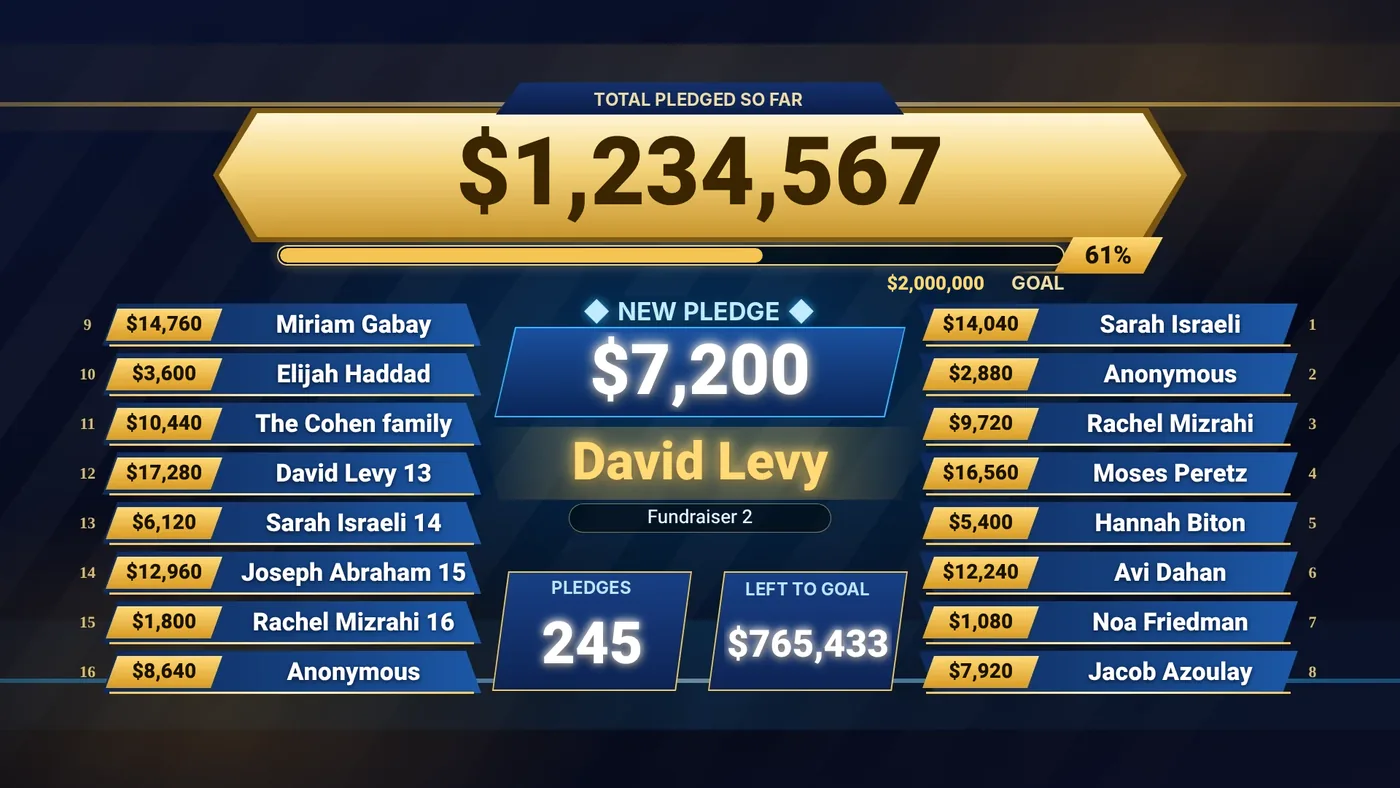
The graphics and design are yours. The data is ours.
ZO-Donations doesn't dictate a design. The graphics on this page are only a sample: at your event, the data is shown inside your own graphics, or those of your designer and VJ.
Upload your graphics
A PNG, JPG or WebP file at the screen's size, plus your own fonts.
Build the layout
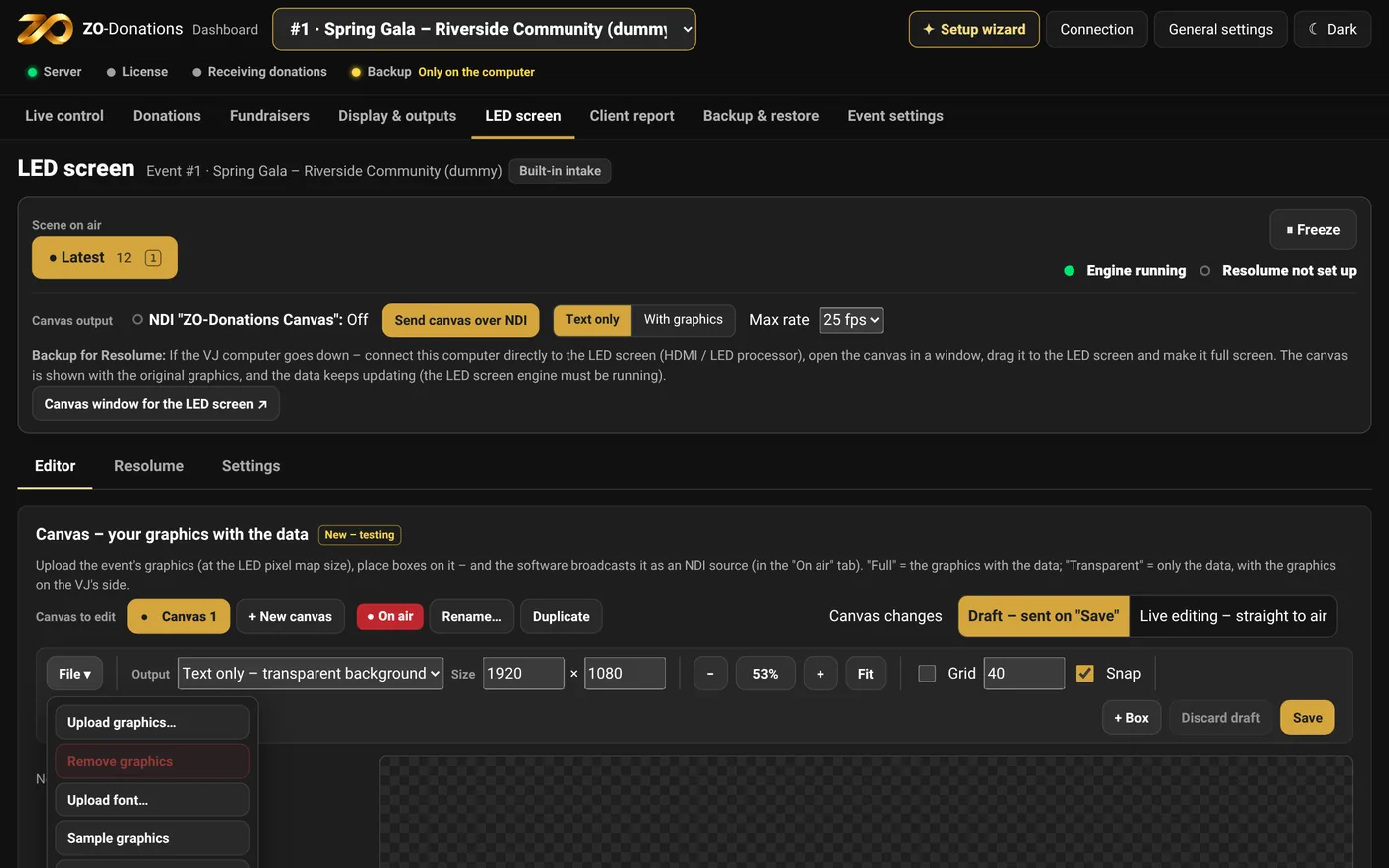
In the layout builder, mark boxes for the total, the progress bar, the new pledge and the name and amount tiles – in the font, color and animation you choose.
The app fills in the data
During the event the boxes fill on their own and go out over NDI, or are written directly to clips in Resolume.
Prepare ahead, no license
Build and test the layout in the demo event, which is always open and needs no license – even days before the event, with donation simulation.
Move it to the real event
On the day, "Copy canvas to event" moves the graphics, fonts and boxes to the event that has the license.
A reusable layout file
Save the layout as a file and load it in another event or on another computer. Upload the graphics and fonts there separately.
Automatic backup – in three places
Every change is saved on the computer, and the encrypted backup updates on its own. Choose one or more destinations for each event; until you do, intake is blocked – so you can't forget. The recovery key stays with you alone.
Cloud backup
To a synced Google Drive, iCloud, Dropbox or OneDrive folder. The encrypted backup goes up to the cloud when there's internet.
USB drive
The app detects a connected drive and backs up to it. Protects you even if the computer itself fails.
Dedicated folder
A folder you choose on the computer. You can combine several destinations.
Donations come in from every device and every station
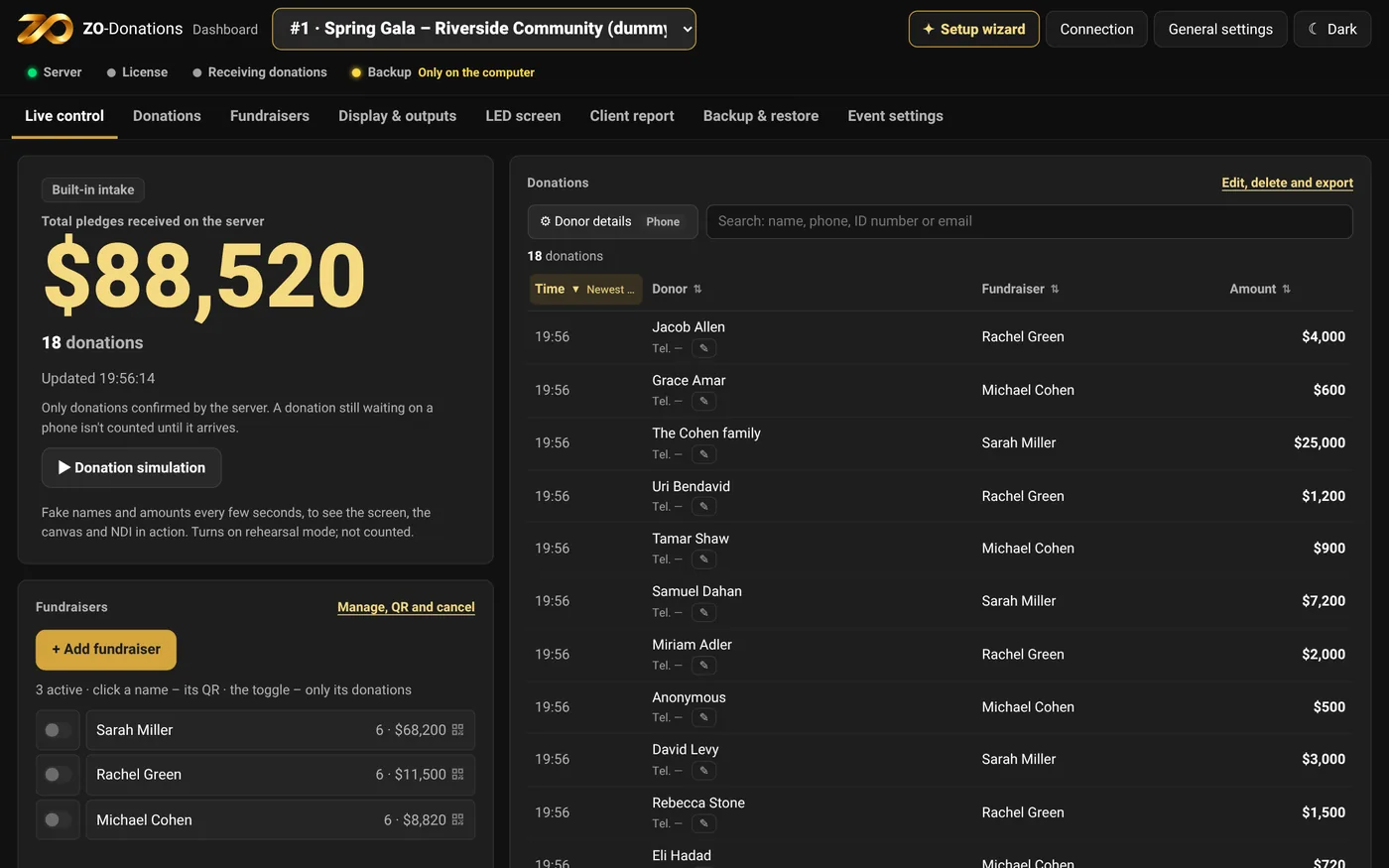
No app and nothing to install: each fundraiser or station gets a personal link that opens in the browser – on a phone, tablet or computer – on the same network as the computer in the hall.
Fundraisers at the tables
Each fundraiser gets a personal link and QR code, and sends from their own phone while talking with the donor.
Computer and tablet stations
The same link opens in any browser: a laptop at the registration desk, the phone bank or the treasurer, and a tablet at the entrance.
Several stations at once
Fundraisers and stations send together. Each donation is credited to whoever sent it, with a count and total for each fundraiser and station.
Donor details as needed
Name and amount, and if you like also phone, email and ID number – optional or required. "No name" works too.
Corrections in real time
Fundraisers see the donations they sent and can edit or delete them. The operator sees everything, corrects, and hides names from the screen.
No donation lost
Lost the connection to the computer? The donation is kept on the device and sent on its own when the connection is back. The screen shows only what arrived and was confirmed.
With a background or without – and always a fallback
The canvas goes out over NDI in two forms, whichever suits you and the video team. And if the VJ computer goes down, carry on from the fundraising computer.
With the graphics
The app sends the graphics and the data together, as one NDI source ready for the LED screen.
Text only, transparent background
Just the data, on a transparent background. The VJ puts it over their own graphics in Resolume, with their own effects and transitions.
VJ computer down? Carry on
Connect the fundraising computer directly to the LED screen and open "Canvas window for the LED screen": the original design, with the data still updating.
Everything a fundraising event needs, on one computer
The app runs on the computer in the hall. The operator works from one dashboard, and the VJ gets the picture over NDI or directly in Resolume.
Works without internet
The computer in the hall is the source of the data. Fundraisers' phones connect to it over the venue's Wi-Fi.
Send from any device
A personal link or QR code for each fundraiser or station – on a phone, tablet or computer, with nothing to install. A donation that wasn't sent is kept on the device and sent when the connection is back.
The data inside your graphics
Your design: upload the event's graphics, the layout builder places the data on it, and the app sends it all as one NDI source.
Full control during the event
Scenes, freeze, an announcement queue, hiding names, editing and deleting. Also from a Stream Deck via Companion.
Backup and a second computer
Encrypted backup to the cloud, a USB drive or a folder, and a backup computer with a live copy that takes over in one click.
Client report
A link and a code to a view-only report, plus export to Excel, CSV and PDF.
Hebrew or English, per event
The app runs in Hebrew or English. The audience language – display screen, intake form and client report – is set for each event.
₪, $, € or £ per event
Choose the currency for each event. Amounts show with the right symbol on the screen, the form and the report.
30-day free trial
Two events with up to 24 real donations each, every feature unlocked. No credit card.
How it works
Three steps, and you can try everything in the demo event before you have a license.
- Set up an event. Name, fundraisers, and graphics for the LED screen.
- Connect the screens. A display window, a link for the VJ, or an NDI feed to Resolume.
- Send donations from any device. The total updates in real time, and donor names are shown in order of arrival and for the display time you set.
What you need
A Mac with Apple silicon
M1 or later, macOS 12 or later.
Wi-Fi in the venue
The computer and the devices sending donations (phones, tablets, computers) on the same network. No internet needed.
For an LED screen
Resolume Arena or Avenue, or any software that receives NDI®.
Get started
Quick start
From installation to your first event, in 10 steps.
Full guide
Every screen and every option, in 13 topics.
Troubleshooting
Common problems and what to do.
Frequently asked questions
Do I need internet in the venue?
No. You need a local network that the computer in the hall and the devices sending donations are connected to. Internet is needed only to activate the license, and you can do that ahead of time.
How much does it cost?
$999 per event license: one fundraising event, on two computers (main and backup). Billed as ₪3,890 (Israeli shekels) at checkout; the exact amount depends on your card’s exchange rate. You can add an operator technician who runs the system at the event itself: $1,500 for events abroad (billed as ₪5,490), or ₪2,360 in Israel – tick the option on the purchase page.
Does the system charge credit cards?
Not at this time. The system records and displays donation pledges; it doesn't process payments or charge credit cards.
Does it work on Windows?
For now the app is available for Mac only. Windows support is planned.
What if the computer crashes in the middle of the event?
Every donation is saved on the computer, and the encrypted backup updates on its own. When a backup computer has been set up and paired in advance, you can take over and keep working. Intake forms opened after pairing switch to the backup computer automatically, as long as it's reachable on the network. A phone that opens the link again needs the backup computer's address.
Can we use our own graphics?
Yes, that's exactly the idea: the graphics and design are yours. Upload the event's graphics to the layout builder and mark boxes on it for the total, the names, the new amount and the tiles. The sample graphics in the app are only for trying things out.
Who can see donor data?
The data is stored on your computer and in your backups. Access is given according to the permissions and links you share. Contact details aren't shown to the audience, and no donor names or amounts are sent to the license server.
Event license · $999
One license for one fundraising event, on two computers (main and backup).
30-day free trial: two events, up to 24 real donations per event, no credit card.
Operator technician (optional): $1,500 abroad (billed as ₪5,490), ₪2,360 in Israel – tick it on the purchase page.
Billed as ₪3,890 (Israeli shekels) at checkout; the exact amount depends on your card’s exchange rate.
Terms of use: English translation for convenience; the Hebrew version is binding.