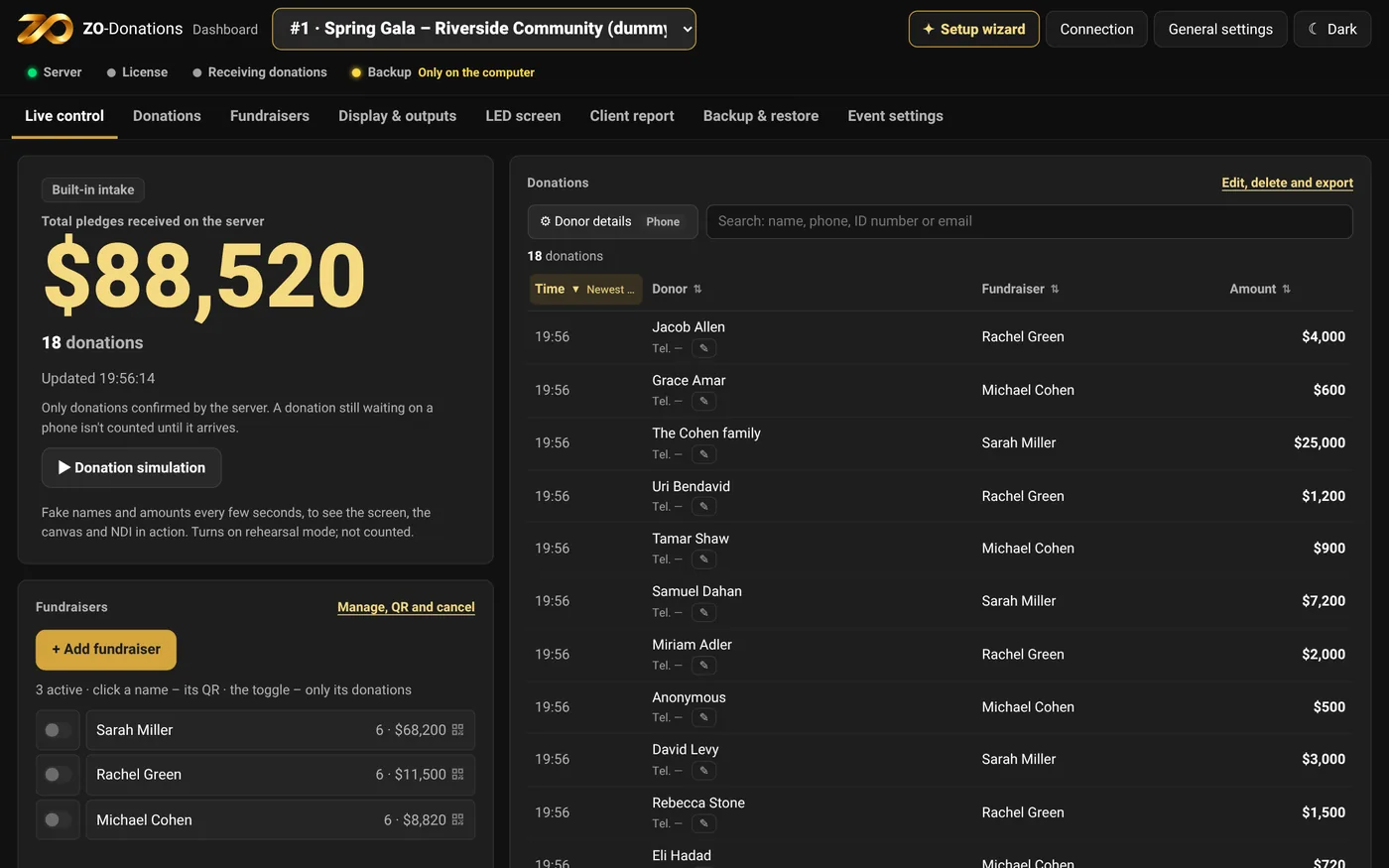
Live control
- The total and the number of donations: only what the server confirmed. A donation still waiting on a phone isn't counted until it arrives.
- The donation stream: search, sort and edit. ⚙ Donor details sets which fields are shown.
- Fundraisers: quick add, QR, and a count and total for each fundraiser.
- The status bar at the top of the screen: server, license, intake, backup. Each light shows only what was actually checked.
Donation simulation
"▶ Donation simulation" sends a donation with a made-up name and amount every 3–6 seconds. That way you see the screen, the canvas and the NDI output in action. The simulation turns on rehearsal mode, so its donations don't count toward the total or the reports. "Stop simulation" stops it. Once the event has started, there's no simulation.
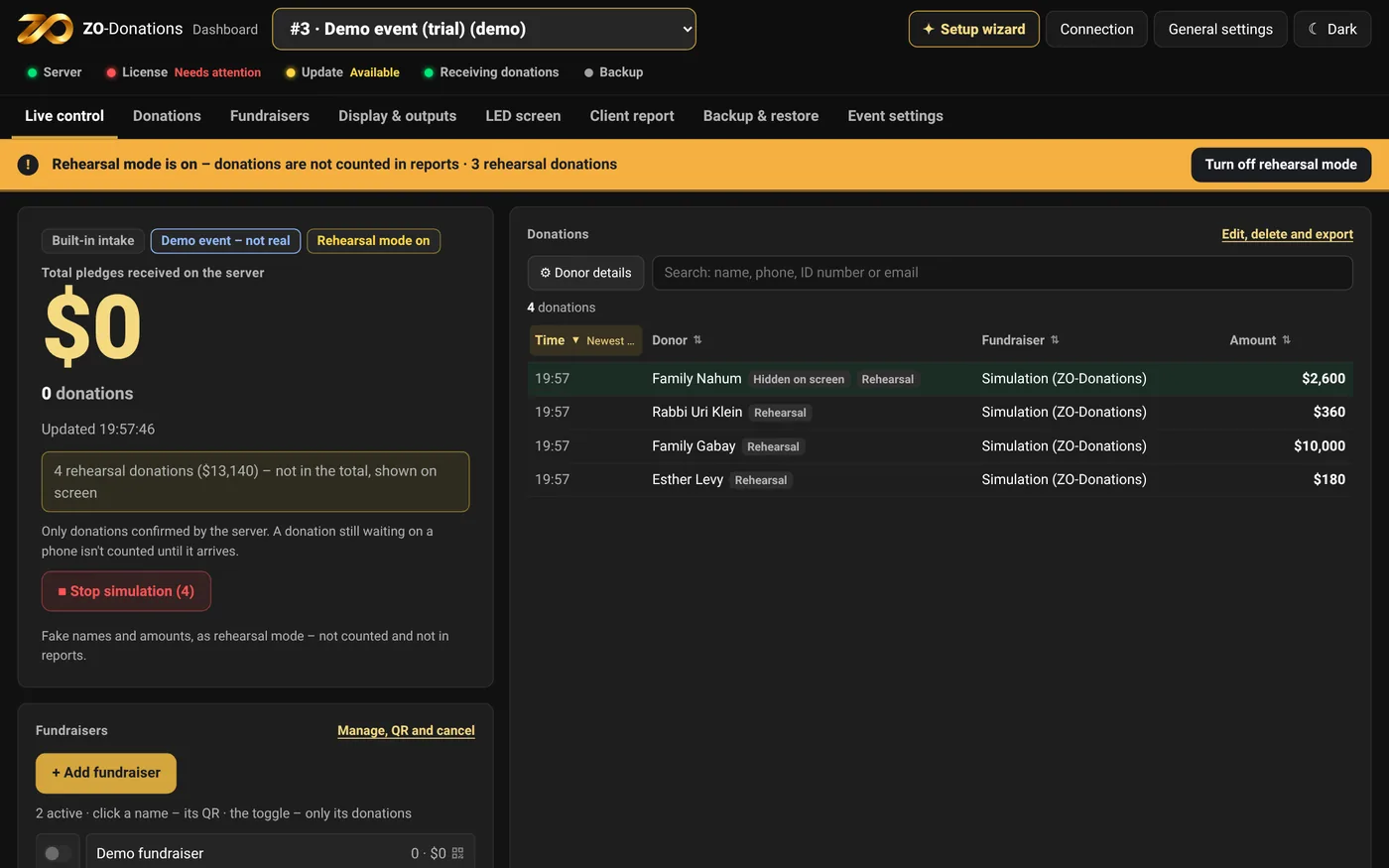
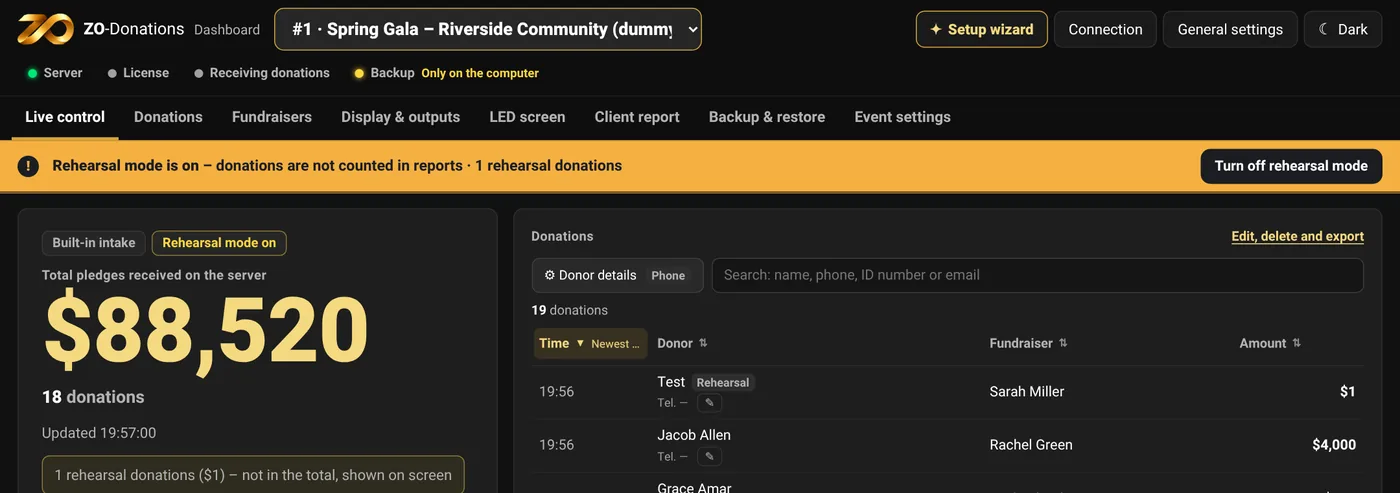
The "Rehearsal mode is on" bar
As long as rehearsal mode is on for the selected event, an orange bar appears at the top of the dashboard: "Rehearsal mode is on – donations are not counted in reports", how many rehearsal donations there are, and when it turns off automatically (at the start of the event, if the event has a start time). The bar is visible in every area, also when you scroll and in General settings.
"Turn off rehearsal mode" on the bar turns it off right away. If there are rehearsal donations, the app asks first: they leave the screen and aren't counted, but they aren't deleted. To delete them, use "Clear rehearsal" in Event settings.
The Donations area
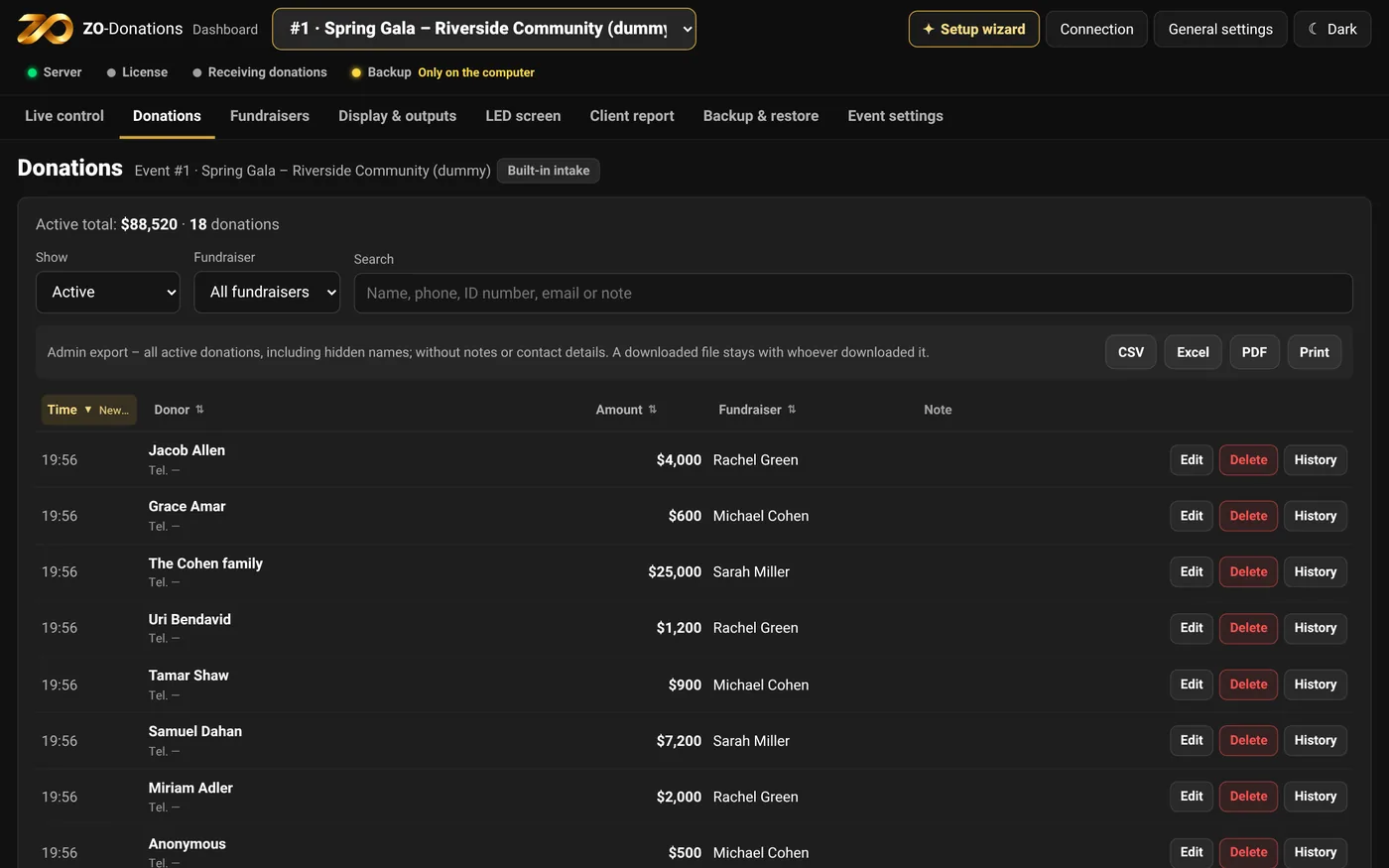
- Filter: active, deleted or all, and by fundraiser. Search by name, phone, email or ID number.
- Edit: name, amount, "Hidden on screen", note and donor details. Every change is kept in the donation's history.
- Delete: moves it to "Deleted", with an option to restore.
- Export: CSV, Excel, PDF or print.
If someone else edited the same donation at the same time, a message appears and the window reopens with the latest values.